

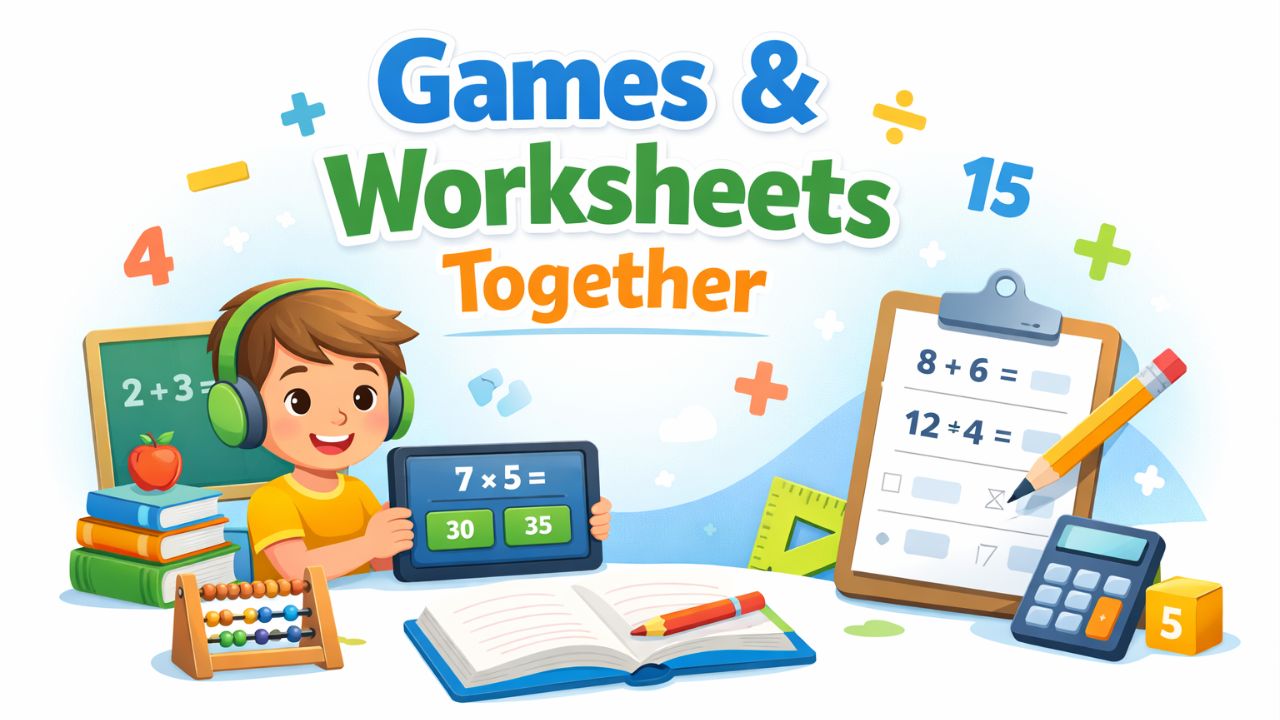
If you’ve ever watched a child beg to play one more round of a maths game but groan at the sight of a worksheet, you already know the problem. Games create excitement. Worksheets create resistance. But here’s what most parents and teachers miss — you don’t have to choose between the two.
The best learning happens when games and worksheets work together, each filling the gaps the other leaves behind.
This article will show you exactly how to combine interactive games like Hit the Button with structured worksheet practice to build real maths confidence in KS1 and KS2 learners. Whether you’re a parent helping at home, a teacher planning lessons, or a child who wants to get better at maths, you’ll find a clear, practical guide here.
By the end, you’ll know how to structure learning sessions, avoid the most common mistakes, and use tools like Hit the Button maths to make practice feel less like a chore and more like a challenge worth winning.
What Does It Mean to Combine Games and Worksheets?
Combining games and worksheets simply means using both types of activity in the same learning routine — not separately, and not randomly, but in a deliberate sequence.
A worksheet gives a child structured, written practice. It builds the habit of working carefully and showing thinking on paper. A game like Hit the Button adds speed, excitement, and instant feedback. Together, they cover skills that neither can build alone.
Think of it this way: the worksheet is the training ground, and the game is the race. You need both.
For maths in particular — whether that’s times tables, number bonds, halves, doubles, or division facts — this combined approach helps children move from slow, effortful recall to fast, automatic answers. That shift from “let me think” to “I just know” is exactly what teachers call fluency, and it’s one of the most important goals in primary maths.
Why This Skill Matters in KS1 and KS2
The National Curriculum expects children to build fluency in number facts from an early age. By the end of Year 2, pupils should recall addition and subtraction facts to 20. By Year 4, they must know all their multiplication tables up to 12 × 12 — and they’re tested on this through the Multiplication Tables Check (MTC).
Fluency isn’t just about passing tests. When a child doesn’t have to struggle to recall basic facts, their working memory is free to focus on harder problems — fractions, word problems, long multiplication. Automatic recall is the foundation everything else builds on.
Research in cognitive science consistently shows that retrieval practice (pulling facts from memory rather than just reading them) strengthens long-term retention. Games built around quick recall — like Hit the Button — are a natural and effective form of retrieval practice. Worksheets, when designed well, provide the structured repetition that cements learning between retrieval sessions.
Used together, these two tools mirror how memory actually works: repeated exposure, spaced over time, in different formats.
Step-by-Step Guide to Combining Games and Worksheets
Step 1: Start With the Worksheet (Slow and Careful)
Begin each session with the worksheet. This sounds counterintuitive — surely the fun game should come first? — but starting with structured practice has a clear purpose.
When a child works through a worksheet cold, without warm-up, you quickly see where the gaps are. Which facts do they hesitate on? Which do they get wrong? Which do they fly through? That information is gold.
Example: If a child is working on the 6 times table, give them a worksheet with a mix of 6× questions in random order. Watch where they slow down or cross out.
Mini tip: Time the worksheet lightly — not in a pressured way, but enough to create a small sense of pace. Say: “Let’s see how many you can do in four minutes.” This sets up the comparison with the game later.
Step 2: Review Together Before Playing
Before jumping to the game, go through the worksheet together. This step is often skipped and it’s a big mistake.
Sit with the child and talk through any questions they got wrong or found difficult. Don’t just give the answer — ask them to talk you through their thinking. “What did you do here? What would make more sense?”
This short review period is where real learning happens. The child is forced to retrieve and correct information, which is far more powerful than passively re-reading a correct answer sheet.
Example: A child writes 6 × 7 = 48. Ask: “If 6 × 6 is 36, what would 6 × 7 be?” Walk them through the pattern rather than simply stating 42.
Mini tip: Keep this review to five to ten minutes. Long explanations lose children quickly. Focus only on the two or three facts that caused the most trouble.
Step 3: Play Hit the Button (Fast and Fun)
Now the game. After the worksheet and review, the child plays Hit the Button — an interactive maths game designed specifically for KS1 and KS2 learners. The game presents maths questions rapidly and rewards fast, accurate answers.
This is where the slow recall from the worksheet gets sharpened into speed. The child already did the thinking; now they’re practising firing those answers quickly. That’s exactly the kind of retrieval practice that builds fluency.
Example: Set the game to the same times table they just practised on the worksheet. Ask them to try and beat their previous score.
Mini tip: Let the child set their own target before playing. “Last time you scored 14 correct. Can you get 17 today?” Self-set goals increase motivation dramatically.
Step 4: Reflect on the Difference
After the game, have a brief conversation. Two questions are enough:
- “Which questions were still hard in the game?”
- “Which ones felt easy by the end?”
This reflection helps the child notice their own progress. It also gives you the information you need to plan the next session. If 6 × 8 is still causing problems, that’s the one to revisit next time — on both the worksheet and in the game.
Mini tip: Keep a simple progress chart. Even a hand-drawn table with scores from each session is enough. Children love seeing improvement made visible.
Step 5: Repeat the Cycle Over Multiple Sessions
One session won’t create fluency. The power of this approach comes from repeating the cycle — worksheet, review, game, reflect — across multiple sessions, ideally spread over several days rather than crammed into one long sitting.
This is the principle of spaced practice. Instead of spending an hour on maths every Sunday, aim for fifteen to twenty minutes four or five times a week. Spreading sessions out forces the brain to retrieve facts from a distance, which is what builds lasting memory.
Mini tip: Match the worksheet topic to the game mode each time. Consistency between the two tools is what makes the combination work.
Easy Tricks and Shortcuts to Speed Up Learning
Use skip-counting as a bridge. Before a child can recall 7 × 8 instantly, they may need to skip-count in 7s up to 56. That’s fine — it’s a stepping stone. Worksheets can include skip-counting exercises that the game then reinforces at speed.
Spot the patterns. The 9 times table always has digits that add up to 9. The 5 times table always ends in 0 or 5. Point these out on worksheets and watch for them in the game. Pattern recognition is a powerful shortcut to automatic recall.
Anchor facts to known ones. If a child knows 5 × 8 = 40, they can quickly work out 6 × 8 = 48. Worksheets that arrange questions in sequences (5×, then 6×, then 7×) make this strategy visible and natural.
Use doubles. The 4 times table is just the 2 times table doubled. The 8 times table is the 4 times table doubled. Showing children this connection on a worksheet, then letting them prove it at speed in Hit the Button, makes the relationship stick.
Common Mistakes and How to Fix Them
Mistake 1: Doing the game every time, skipping the worksheet. The game is motivating, but without the worksheet, children don’t build careful, written recall. They may perform well in the game’s format but struggle to apply knowledge elsewhere. Fix: Always do the worksheet first.
Mistake 2: Using worksheets with no time element. Untimed worksheets allow children to use counting strategies rather than genuine recall. They finish correctly but slowly, and that slowness stays. Fix: Add a gentle time target — not a harsh one, but enough to encourage a brisk pace.
Mistake 3: Playing the game on a random setting. Hit the Button maths allows you to select specific skills. Playing on a random mix when a child is still learning one table is counterproductive. Fix: Match the game setting to the worksheet topic every session.
Mistake 4: Not reviewing mistakes before playing. Jumping straight from worksheet to game means a child reinforces wrong answers at speed. Fix: Always spend five minutes reviewing errors before starting the game.
Mistake 5: Practising every day on the same table. This feels productive but isn’t. Repeated same-day practice inflates performance without building retention. Fix: Move on after two or three sessions and return to earlier tables periodically.
Mistake 6: Making sessions too long. A tired, frustrated child learns nothing. Twenty minutes of focused practice beats an hour of disengaged going-through-the-motions. Fix: Keep sessions short and end on a positive moment.
Mistake 7: Comparing children to each other. Every child has a different pace of fluency development. Comparison creates anxiety, which actively blocks memory. Fix: Compare a child only to their own previous performance.
Fun Practice Methods
At home: Print two sets of fact cards. Use one set for a simple matching activity (question on one card, answer on another), then immediately follow with a session on Hit the Button using the same facts. The physical card activity engages a different learning modality before the digital game reinforces at speed.
In the classroom: Try a “worksheet sprint, then game challenge” structure during a maths starter. Give the class three minutes on a shared worksheet, review two or three answers together, then let children take turns on Hit the Button on the whiteboard. This creates class energy around maths without adding significant planning time.
Real-life application: Ask children to spot times tables in real life — groups of chairs, packs of crisps, rows of windows. Connecting abstract number facts to real objects makes them more memorable, and the game then gives a way to test that memory at pace.
You can also extend this approach into number bonds, doubles and halves, and division facts — all available in Hit the Button — using the same worksheet-then-game structure.
Practise This Skill Using Our Game
Hit the Button is a free, interactive maths game built specifically for KS1 and KS2 learners. It covers times tables, number bonds, doubling and halving, division, and square numbers — all the core fluency areas of the primary curriculum.
What makes Hit the Button maths different from a simple quiz is the speed element. Questions appear rapidly and children must recall answers quickly, pressing the correct button before time runs out. This isn’t just fun — it’s exactly the kind of high-frequency retrieval practice that research links to strong long-term retention.
Used as the second half of the worksheet-then-game routine, Hit the Button takes the careful recall practised on paper and sharpens it into genuine speed and confidence. Children can track their scores, set personal targets, and feel the satisfaction of improvement.
Whether you call it hit the button, hit the button game, or press the button maths — it works best when it follows structured practice. Give it a go straight after your next worksheet session and notice the difference.
Practice Questions
Try these questions. Answers are at the bottom.
- 6 × 7 = ?
- 9 × 4 = ?
- 8 × 8 = ?
- 7 × 6 = ?
- 12 × 5 = ?
- Double 34 = ?
- Half of 56 = ?
- 48 ÷ 6 = ?
- Number bond to 100: 63 + ? = 100
- 11 × 9 = ?
- 7 × 7 = ?
- Number bond to 20: 13 + ? = 20
Answers:
- 42 | 2. 36 | 3. 64 | 4. 42 | 5. 60 | 6. 68 | 7. 28 | 8. 8 | 9. 37 | 10. 99 | 11. 49 | 12. 7
Expert Tips for Parents and Teachers
For parents: Don’t hover during the game. Once a child understands the routine, let them play independently and report their score back to you. Autonomy during the game increases engagement and mimics the self-regulated learning skills children need in school.
For teachers: Use the worksheet as a pre-assessment at the start of a unit, not just a practice tool. The first worksheet tells you exactly where each child’s fluency gaps are, which means you can differentiate the game mode in Hit the Button for different groups.
Both: Celebrate score improvements, not just correct answers. A child who goes from 10 to 14 correct in a week has done something genuinely impressive, even if their score isn’t the highest in the class.
For parents: If a child refuses to do the worksheet, make the game contingent — “five minutes of worksheet, then Hit the Button.” This isn’t a punishment structure; it’s the same motivation model teachers use. The game becomes the reward that follows the effort.
For teachers: Pairs work well for the game. One child plays while the other watches and checks — then they swap. This adds a social layer to the practice and means both children are active, even when only one is at the screen.
Advanced Insight: Why This Combination Works on a Neurological Level
The worksheet-then-game structure isn’t just pedagogically sensible — it aligns with how the brain actually consolidates memory.
When a child first encounters a new fact on a worksheet, their brain encodes it in a fragile, effortful way. The fact is there, but retrieving it takes conscious effort and time. This is normal. It’s the beginning of learning, not the end.
What strengthens that encoding is retrieval — pulling the fact back out of memory under conditions that are slightly different from how it was first learned. This is known as the testing effect in cognitive psychology, and it’s one of the most robust findings in learning science. Simply re-reading facts barely helps. Actively recalling them — especially under mild time pressure — significantly strengthens the memory trace.
Hit the Button provides exactly this kind of active, time-pressured retrieval. The game format means a child can’t rely on counting strategies they might sneak past on a worksheet. They have to retrieve quickly or miss the button. That pressure is productive.
When this follows a worksheet session, the effect is compounded: the worksheet establishes the initial encoding, the review deepens it through error correction, and the game cements it through high-frequency retrieval. Each part does something the others can’t.
This is also why spacing the sessions matters. Each time a child retrieves a fact after a gap, the memory strengthens further. After five or six spaced sessions using this structure, most children reach the point where the fact feels automatic — no effort, no hesitation, just the answer. That’s fluency, and it’s within reach for every child.
FAQ
What is Hit the Button? Hit the Button is a free online maths game for primary school children, covering times tables, number bonds, doubling, halving, division, and square numbers. It’s designed for KS1 and KS2 learners and is widely used in both schools and homes across the UK.
How often should my child use Hit the Button maths? Aim for four to five short sessions per week — around fifteen to twenty minutes each. This spaced approach builds stronger long-term retention than one long weekly session.
Can I use Hit the Button in the classroom? Absolutely. Many teachers use it as a starter activity on the interactive whiteboard, or as a paired game during maths fluency practice. It works particularly well as a follow-up to worksheet practice.
Is the game suitable for Year 4 Multiplication Tables Check preparation? Yes. Hit the Button covers all multiplication and division facts up to 12 × 12, which is exactly the content assessed in the Year 4 MTC. Using it alongside worksheet practice is an effective preparation strategy.
What if my child always gets the same score and isn’t improving? This usually means they’ve practised the same table too many times. Switch to a different table for a week, then return. Fresh retrieval after a gap often produces a noticeable jump in score.
Is it better to do worksheets or games for maths fluency? Neither alone is as effective as both together. Worksheets build careful, deliberate recall. Games build speed and automaticity. Combined in the right sequence, they produce faster, more lasting improvement than either in isolation.
What topics does Hit the Button cover besides times tables? The game includes number bonds to 10, 20, and 100; doubling and halving; division facts; and square numbers — covering the full range of fluency skills expected across KS1 and KS2.
Conclusion
The gap between knowing something slowly and knowing it automatically is exactly where maths confidence is built or lost. Worksheets give children the careful, deliberate practice they need to establish facts. Games like Hit the Button give them the fast-paced retrieval they need to make those facts automatic.
Used together — worksheet first, review next, game to finish — this combination is one of the most effective approaches to building genuine maths fluency at primary school level.
Start small. Pick one times table or one set of number bonds. Do one worksheet, review the mistakes, play one round of Hit the Button maths, and note the score. Come back two days later and repeat. Within a fortnight, most children show clear, measurable improvement — and more importantly, they start to feel like maths is something they can actually do.
That confidence is what makes everything else in primary maths easier. And it starts with fifteen minutes, a worksheet, and a button worth hitting.